cat ~/writing/buildsweeper-1-9.md
BuildSweeper 1.9: Simulators & Outdated Editor Extensions
BuildSweeper is my macOS app that finds build artifacts and developer caches and lets you delete them safely. Version 1.9 adds cleanup for places where space builds up quietly: inside each iOS simulator, in editor extension folders and in Cursor Agent's version folder.
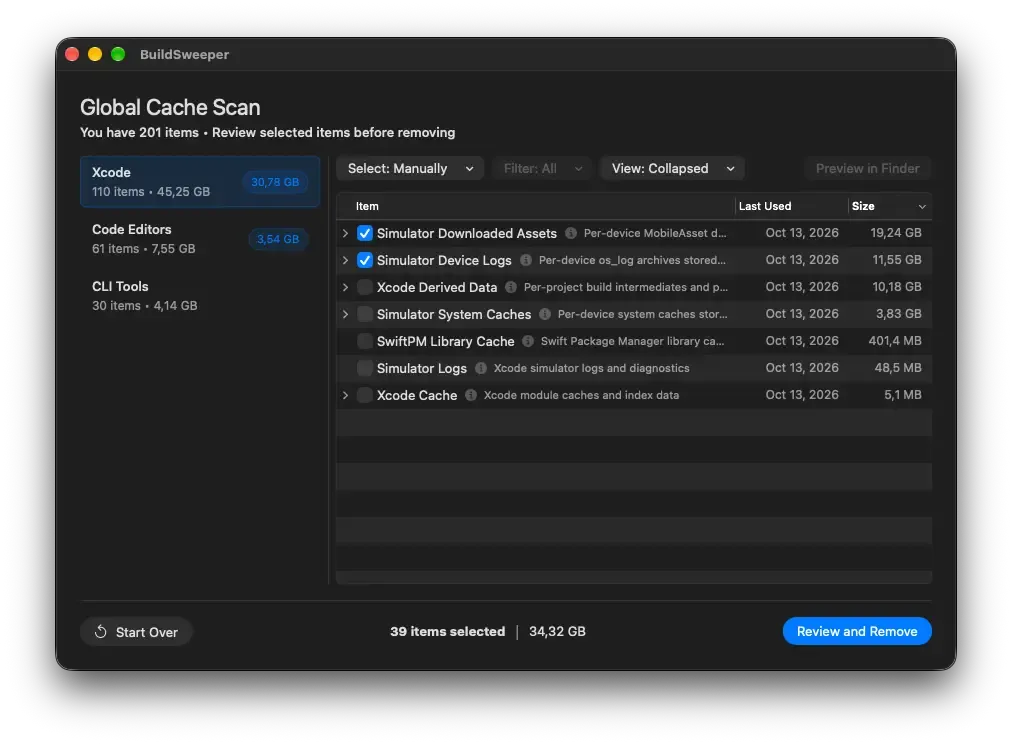
Inside each simulator
Xcode keeps every simulator under ~/Library/Developer/CoreSimulator/Devices, one folder per device.
Over time each one collects its own log history, downloaded assets like Siri, voice and language models, and system caches, including leftover copies of app builds you installed earlier.
BuildSweeper now lists these three per device. The simulator's apps, data and settings stay in place. A simulator is only listed when it is shut down, and BuildSweeper checks again right before it deletes anything, so a simulator you boot in the meantime is skipped.
Outdated editor extensions
When VS Code updates an extension, the old version often stays on disk.
The editor marks it as obsolete, but the folder remains in ~/.vscode/extensions.
Installs that never finished leave hidden folders behind too.
BuildSweeper lists both for VS Code, Cursor, Antigravity IDE and Qoder. Any extension that one of your profiles still uses is kept. If BuildSweeper can't read the editor's list of installed extensions, it lists nothing for that editor.
Old Cursor Agent versions
Cursor's agent updates itself and keeps every previous version in a versions folder.
The standalone cursor-agent command-line tool does the same under ~/.local/share/cursor-agent/versions.
BuildSweeper lists the old versions and keeps the one Cursor runs now.
If an agent is still running from an old version, you get a warning before deleting it.
Claude simulator builds
The Claude desktop app keeps simulator build data per project in ~/Library/Application Support/Claude/simulator-builds.
BuildSweeper shows one row per project, named after its Xcode project, and warns you when Claude, the Simulator or xcodebuild is running.
Editor update files
Editors built on Electron download updates before installing them, and the files often stay after the update is done. BuildSweeper now clears them for VS Code, Cursor, Claude and other editors. Some editors finish installing an update in the background after you quit, so BuildSweeper also warns you while that installer is still running.
A Last Used column
Size tells you what is big. Whether you can delete something depends on when you last needed it.
The results list now has a Last Used column you can sort by. Where a tool records the date itself, BuildSweeper uses it: simulators, Claude simulator builds, editor extensions and Xcode's DerivedData. For everything else it shows the newest modification date it found while measuring the folder's size. A tooltip says which of the two you are looking at.
Antigravity IDE
Google split Antigravity into two apps. Antigravity is now an agent app, and the VS Code-based editor ships separately as Antigravity IDE. BuildSweeper supports both, with the same cache cleanup as VS Code.
Get it
BuildSweeper is on the Mac App Store. The full list of changes is in the changelog.